Live Stacking and EAA (Electronically Assisted Astronomy)
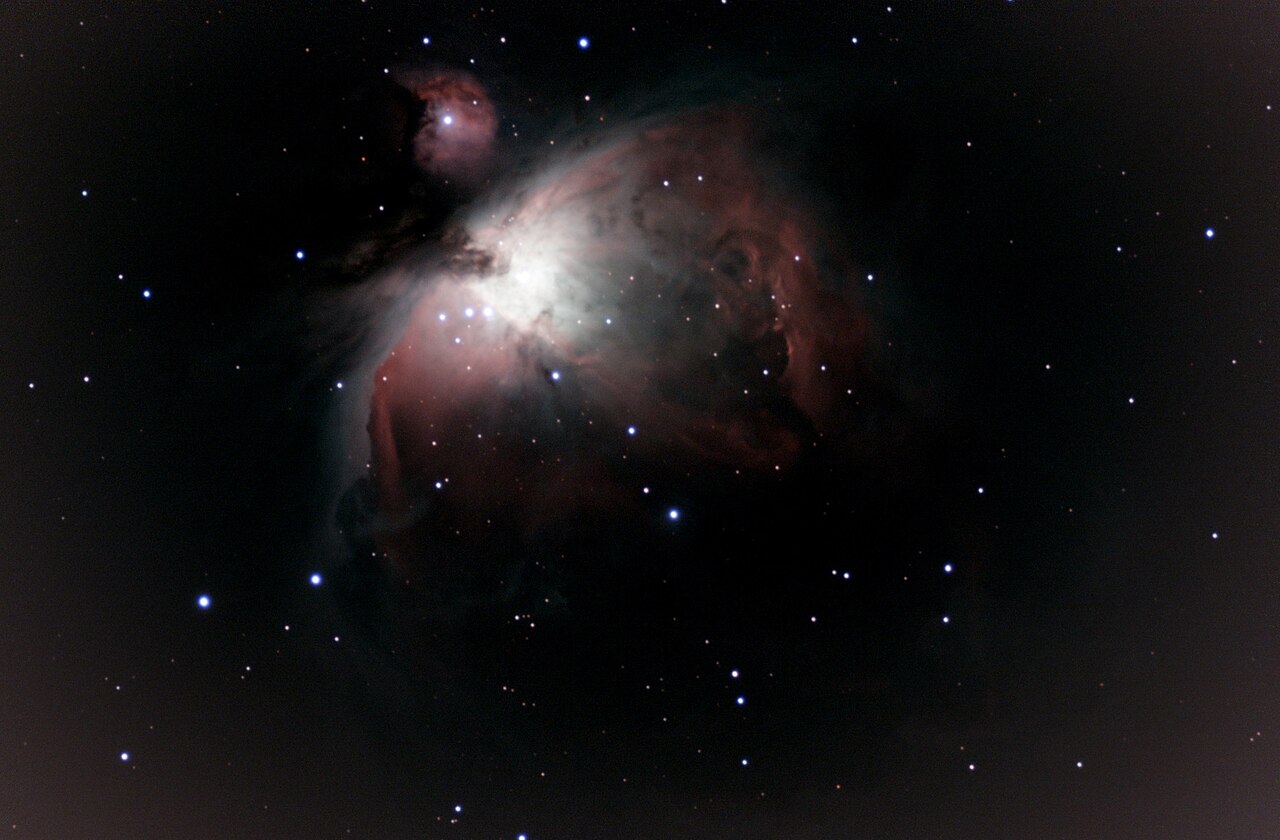

Electronically assisted astronomy (EAA) means observing through a camera and a screen instead of an eyepiece. The camera on the telescope takes short exposures, one after another, and software adds each new one to those before it. A galaxy that would be a faint smudge in the eyepiece, or invisible, slowly appears on the laptop or tablet, and gets cleaner the longer you stay on it. SharpCap, the most widely used program for it, lists EAA as one of its main uses alongside planetary and deep-sky imaging.
EAA sits between visual observing and astrophotography. The aim is to see the object tonight, in minutes, rather than to collect hours of data for a polished image later. Many people save the result anyway.
How live stacking works
Each time the camera delivers a frame, the live stacker:
- Calibrates it, if you supply them, by subtracting a master dark frame (which removes hot pixels and the camera's thermal signal) and dividing by a flat. See understanding dark frames.
- Registers it, finding the stars and shifting (and, in SharpCap, rotating) the frame so they line up with the stack so far.
- Adds it to the stack, as a running average. Random noise partly cancels out with every frame added, while the faint object's signal stays, so the picture improves over the first few minutes and then more slowly.
- Stretches the result on screen, brightening the faint parts so you can see them. The stretch is only for display; the stacked data underneath stays untouched.
Where it comes from: webcam astronomy
Live stacking is the same idea webcam astronomy has used for two decades, done during the session instead of afterward. In video integration you record a planet at high speed and stack the best frames later. In drift integration, short exposures on a mount that does not track perfectly are aligned in software, so the drift cancels out. A live stacker does both jobs frame by frame as the images arrive. Because each exposure is short, stars only have to stay put for seconds rather than minutes; smart telescopes on alt-azimuth mounts rely on exactly this.
Live stacking also works on planets now: SharpCap added planetary, solar and lunar live stacking in version 4.1. For the Sun, use a proper solar filter over the front of the telescope, or a dedicated solar telescope; never point a telescope or camera at the Sun without one.
Live stacking software
| Program | OS | Price | How it gets frames | Latest version |
|---|---|---|---|---|
| SharpCap | Windows | Free; Pro £14 a year | Controls the camera | 4.1 (Oct 30, 2026 build) |
| ZWO ASILive (ASIStudio) | Windows, macOS, Linux | Download from ZWO | ZWO cameras | ASIStudio 1.23 (Nov 12, 2026) |
| ASIAIR app | iOS, Android (with ASIAIR box) | ASIAIR Plus 256GB $399 | ZWO cameras or a DSLR | 3.1 (Nov 23, 2026) |
| KStars Live Stacker | Windows, macOS, Linux | Free, open source | Watches a folder | KStars 3.8.5 (Oct 3, 2026) |
| Astro Live Stacker (ALS) | Windows, macOS, Linux | Free, open source | Watches a folder | 0.7.1 (May 31, 2026) |
| OpenLiveStacker | Android, Linux | Free, open source | Controls the camera | beta52 (May 23, 2026) |
| Siril | Windows, macOS, Linux | Free, open source | Watches a folder | 1.4.5 (Oct 28, 2026) |
Prices and versions are from the makers' sites on November 25, 2026.
Programs that run the camera
- SharpCap does deep-sky live stacking in the free version, aligning each frame before it is added. SharpCap Pro (£14 a year) adds the Smart Histogram, which suggests exposure and gain settings for deep-sky targets, a sensible starting point if you are unsure what to use. Its built-in plate solver helps you find and center targets.
- ASILive, part of ZWO's ASIStudio suite, live stacks with ZWO cameras and applies an automatic stretch and noise reduction.
- ASIAIR calls it real-time stacking. The ASIAIR box runs the camera and mount, and you watch on a phone or tablet. According to the ASIAIR Plus manual, a DSLR can also be used as the main camera for real-time stacking.
- OpenLiveStacker controls a USB camera from an Android phone or tablet or a Linux computer, live stacks with calibration frames and can plate solve. It is still labelled beta.
Programs that watch a folder
These stack whatever files your capture program saves, so they work with any camera.
- KStars Live Stacker, in the KStars FITS viewer, watches a folder, applies optional darks and flats and post-processing, and can webcast the result.
- Astro Live Stacker is a stand-alone open-source live stacker that works alongside any capture program.
- Siril, ASTAP and DeepSkyStacker Live also live stack. The developer of AstroDMx Capture pairs it with these, since AstroDMx does not stack by itself.
Capture programs are compared in image capture software, and the controllers in astro imaging computers.
Smart telescopes: EAA in a box
A smart telescope is a live stacker with a telescope, camera and mount built around it. It takes many short exposures (10 seconds each on Celestron's Origin, for example) and adds each new frame to a running stack, so the image on your phone gets cleaner the longer it runs. To deal with hot pixels it shifts slightly between frames (dithering), so each defect lands in a different place once the frames are aligned and the stack rejects it; Origin can also record its own dark-frame library. See how smart telescopes work and smart telescope vs a traditional setup.
Sharing the view
Because the image is on a screen, several people can look at once, and nobody has to find the eyepiece in the dark. That makes EAA a good fit for club nights and public outreach, especially for faint galaxies that most beginners cannot see at an eyepiece at all. KStars can webcast its live stack, and a laptop can be connected to a larger display or projector.
Getting started
- Start with the camera you have. Any camera your program supports will do; a larger sensor shows more sky around the object. See the planetary camera round-up.
- Let the software suggest settings. SharpCap Pro's Smart Histogram proposes exposure and gain for deep-sky targets.
- Take darks. KStars and OpenLiveStacker, among others, can apply calibration frames; a master dark removes the hot pixels that would otherwise build up in the stack.
- Save the stack if your program allows it, so you can process it later.
Sources
- sharpcap.co.uk (SharpCap names EAA as a use; free deep-sky live stacking with each frame aligned and derotated; Smart Histogram (Pro); built-in plate solving; Pro GBP 14 a year)
- scopetrader.com/live-planetary-stacking-included-in-sharpcap... (Planetary, solar and lunar live stacking in SharpCap 4.1 (December 2023))
- docs.sharpcap.co.uk/4.1 (SharpCap live stacking alignment and planet/disk stabilization)
- zwoastro.com/2020/03/26/what-is-asistudio-and-what-can-it-br... (ASILive live stacking with automatic stretch and noise reduction)
- zwoastro.com/software/asistudio (ASIStudio 1.23, November 12, 2026)
- i.zwoastro.com/wp-content/uploads/2026/03/65dcf5cda6be810ffd... (ASIAIR Plus real-time stacking; DSLR usable as primary camera for real-time stacking)
- zwoastro.com/software/asiair (ASIAIR app 3.1, November 23, 2026)
- kstars-docs.kde.org/en/user_manual/fits-viewer-livestacker.h... (KStars Live Stacker watches a folder, optional darks and flats, post-processing, webcast)
- kstars.kde.org/download (KStars 3.8.5 (October 3, 2026))
- github.com/deufrai/als/releases/tag/v0.7.1 (Astro Live Stacker 0.7.1 (May 31, 2026), Windows, Linux, macOS builds)
- github.com/artyom-beilis/OpenLiveStacker (OpenLiveStacker controls a camera and live stacks, plate solving, calibration frames; beta52 (May 23, 2026), Android and Linux)
- siril.org/download/2026-10-28-siril-1-4-5 (Siril 1.4.5 live stacking fixes)
- x-bit-astro-imaging.blogspot.com/2023/03/live-stacking-with-... (AstroDMx Capture paired with DSS Live, ASTAP or Siril as live stackers)
- hnsky.org/astap.htm (ASTAP live stacking tab)
- github.com/deepskystacker/DSS (DeepSkyStackerLive in the DeepSkyStacker code base)
- astronomy.com/uncategorized/celestron-origins-mosaic-mode-br... (Smart telescope live stacking (10 s frames on Origin), dithering against hot pixels)
- skyatnightmagazine.com/astrophotography/what-are-smart-teles... (Smart telescopes add each new frame to a running stack)
- celestron.com/origin (Celestron Origin dark-frame library)